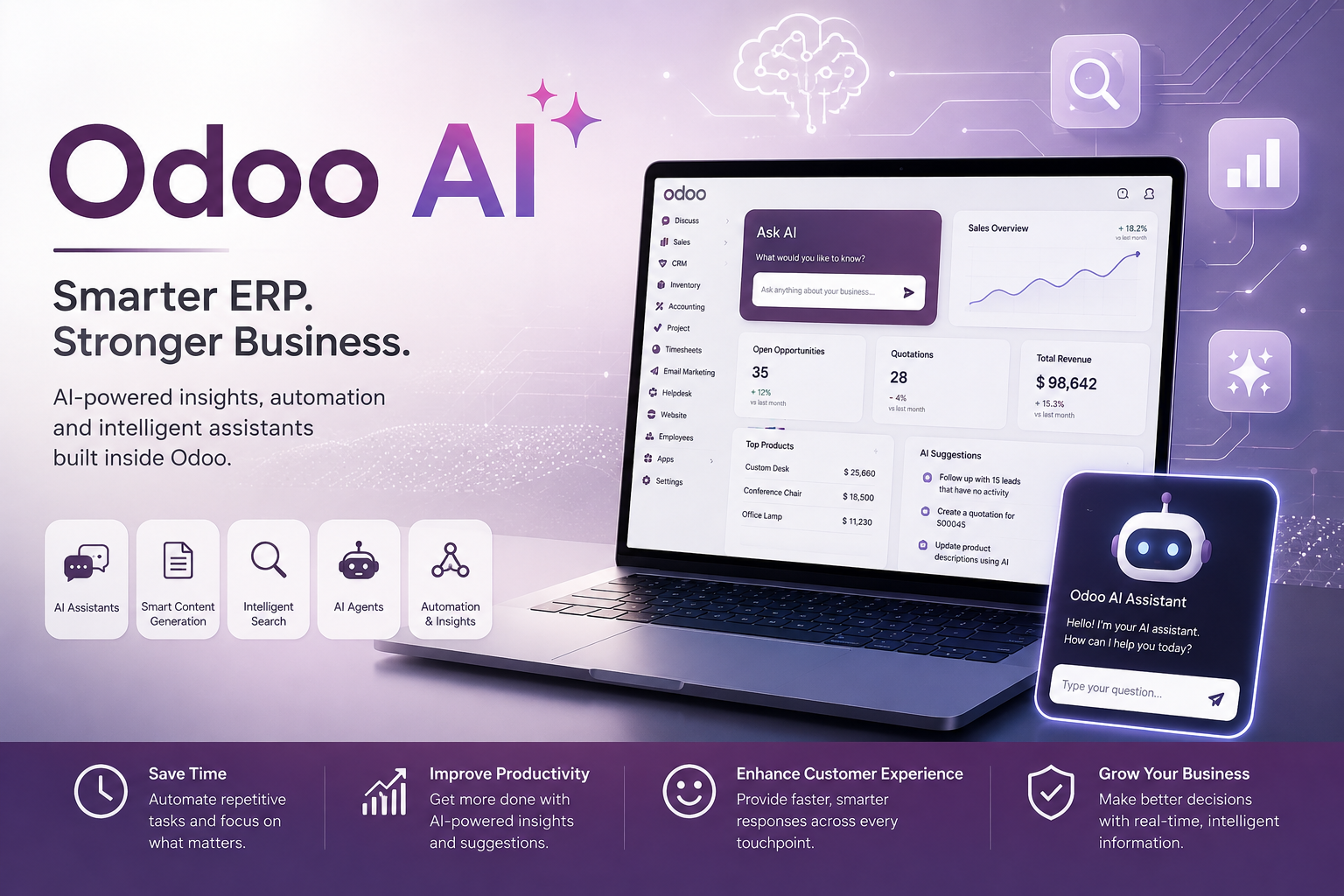
Odoo 19 is changing the way businesses manage sales, finance, operations, customer relationships, and everyday workflows.
With powerful AI capabilities, smarter automation, improved user experience, enhanced eCommerce, advanced reporting, and new industry solutions, Odoo 19 brings ERP closer to the way modern businesses actually work.
Whether you are already using Odoo or considering moving from another ERP system, Odoo 19 offers several compelling reasons to upgrade.
What’s New in Odoo 19?
Odoo 19 introduces improvements across almost every major business application. However, some of the most exciting developments are around Artificial Intelligence, Sales, CRM, Accounting, Documents, Project Management, eCommerce, and usability.
Let’s explore the key features.
1. Odoo AI: Intelligence Built Directly into Your ERP
One of the biggest highlights of Odoo 19 is the expansion of AI across the platform.
Instead of using separate AI tools for different tasks, businesses can now use AI directly inside Odoo.
What can Odoo AI do?
Odoo 19 introduces capabilities such as:
- AI Agents that can understand documents and perform actions
- Natural-language searches
- AI-assisted field completion
- AI-generated email drafts
- Chatter summarization
- AI-powered CRM insights
- AI agents that can query business data
- AI-powered document processing
- AI-assisted website and content creation
- Voice transcription and summarization
- AI-powered automation
Users can also ask AI questions about their Odoo database using natural language.
For example:
“Show me all unpaid invoices from customers in Delhi.”
Instead of manually creating filters, AI can help translate natural-language requests into Odoo searches.
Odoo’s official documentation describes AI as a context-aware assistant that works across Odoo applications, helping users automate routine work and work faster.
Why does this matter?
The real benefit isn’t simply “having AI.”
The benefit is reducing the number of repetitive tasks employees need to perform manually.
This can save time across sales, finance, customer service, HR, and operations.
2. AI Agents Can Work With Your Business Data
Odoo 19 takes AI beyond simple content generation.
AI agents can interact with business information and, depending on configuration and permissions, perform actions inside Odoo.
For example, businesses can build workflows where an AI agent:
- Reads information from documents
- Answers questions about company data
- Updates records
- Creates records
- Assists employees with repetitive processes
- Works with website and Live Chat interactions
Later Odoo 19.x releases have expanded these capabilities further, including AI agents that can create and update records and even generate website-related content.
This opens the door to a new concept:
ERP systems that don’t just store information—but actively help employees work with that information.
3. Smarter CRM and Sales
Sales teams get several important improvements in Odoo 19.
One particularly useful feature is AI-powered lead insights.
Odoo can provide insights into the probability of winning a lead and help sales teams understand what may be influencing the opportunity.
Another practical feature is business card scanning.
Sales representatives can scan a business card and use the information to create a lead in CRM.
This can be particularly useful at:
- Trade shows
- Conferences
- Business meetings
- Networking events
- Customer visits
Odoo 19 also introduces a more flexible quotation experience, allowing businesses to create professional proposals with sections and subsections while handling shipping costs and online payments more efficiently.
4. A Better Quotation Experience
Creating quotations is one of the most important activities for many businesses.
Odoo 19 improves the quotation process with a more flexible quote creation experience.
Businesses can:
- Organize quotations using sections
- Hide unnecessary information
- Calculate shipping costs
- Accept online down payments
- Allow customers to confirm quotations through the portal
- Manage quotations from different devices
This makes the journey from lead → quotation → confirmation → sale much smoother.
For businesses with large product catalogs or complex proposals, these improvements can make the sales process more professional and efficient.
5. Accounting Gets Smarter
Odoo 19 also brings significant improvements to Accounting.
One important area is bank reconciliation.
The improved reconciliation workflow can automate more transactions while providing clearer guidance for exceptions that still require human intervention.
Odoo 19 also introduces improvements around:
- Tax management
- Fiscal positions
- Audit reports
- Tax returns
- Accounting documents
- Automated document workflows
For businesses operating in India, Odoo 19 also includes improvements to GST reporting, including enhancements to GSTR-1 reporting and related accounting flows.
This makes Odoo increasingly attractive for businesses looking for an integrated ERP and accounting platform.
6. Documents + AI = Less Manual Work
Managing documents is often one of the most time-consuming parts of running a business.
Odoo 19 improves the Documents application with better automation and AI capabilities.
Businesses can automatically organize documents, manage access rights, and trigger actions based on document information.
Odoo can also work with files attached to records and use their content in AI-powered workflows.
Imagine receiving a vendor document by email and having the system automatically:
Receive → Read → Classify → Store → Trigger the appropriate workflow
This is where ERP automation can provide significant productivity gains.
7. Project Management Gets More Automated
Odoo 19 also improves Project management.
Project templates can help companies quickly create standardized projects with predefined:
- Stages
- Tasks
- Assignees
- Workflows
Tasks can also be managed more conveniently through calendar views.
Combined with automation and AI, this can reduce the administrative work involved in setting up and managing projects.
For IT companies, consulting firms, agencies, construction companies, and service businesses, this can be particularly valuable.
8. Improved eCommerce Experience
Odoo 19 brings several improvements to eCommerce.
The new version includes updated layouts and options for the shop page, better product presentation, and improved customer experiences.
Businesses can also take advantage of integrations such as Google Merchant Center to improve product visibility.
The goal is simple:
Make it easier for customers to discover, understand, and purchase products online.
For businesses already using Odoo Website and eCommerce, these improvements can reduce the need for extensive custom development.
9. A More Powerful Point of Sale
Odoo 19 also introduces several improvements to Point of Sale.
Some notable features include:
- One-click payment validation
- Product grouping
- POS presets
- Better product information access
- Improved restaurant workflows
- Allergen management
- Course-based restaurant ordering
- Preparation-time reporting
These improvements make Odoo POS more suitable for restaurants, retail stores, hospitality businesses, and other customer-facing operations.
10. Better Website and SEO Tools
Odoo 19 also focuses heavily on improving the Website experience.
The Website Builder has received usability improvements, while businesses get better tools for:
- SEO optimization
- Website forms
- Mobile navigation
- Mega menus
- Page customization
- Parallax effects
- Website layouts
- Portal customization
Odoo 19 also adds SEO checks and tools designed to help businesses follow better SEO practices, including keywords and schema markup.
For companies that want their ERP, website, eCommerce store, and marketing activities connected in one platform, this is a major advantage.
Odoo 19.1, 19.2, 19.3 and 19.4: Continuous Improvements
Odoo 19 isn’t a one-time release.
Odoo has continued improving the platform through subsequent versions.
Odoo 19.1 introduced improvements such as mobile file sharing, improved chatter filtering, offline UI enhancements, pinned chatter messages, and other usability improvements.
Odoo 19.2 added improvements across CRM, eCommerce, Documents, ESG, dashboards, and other applications.
Odoo 19.3 expanded AI capabilities further, including the ability for AI agents to create and update records.
Odoo’s official release page lists Odoo 19.4 as released in July 2026, showing that the platform continues to evolve throughout the Odoo 19 lifecycle.
Why Should Businesses Consider Odoo 19?
The biggest advantage of Odoo 19 isn’t a single feature.
It is the combination of:
ERP + AI + Automation + Accounting + CRM + Sales + Inventory + Website + eCommerce + HR + Projects
in one integrated ecosystem.
Instead of maintaining multiple disconnected systems, businesses can bring more of their operations into a single platform.
This can help organizations:
- Reduce manual data entry
- Improve visibility across departments
- Automate repetitive processes
- Improve customer experiences
- Reduce dependency on disconnected software
- Make faster business decisions
- Scale operations more efficiently
Is Odoo 19 Right for Your Business?
Every business has different requirements.
For companies already using Odoo, upgrading to Odoo 19 can unlock new AI capabilities, improved workflows, enhanced reporting, and better user experiences.
For businesses using older ERP systems or multiple disconnected applications, Odoo 19 can provide an opportunity to consolidate operations into one integrated platform.
However, an ERP upgrade should always be planned carefully.
Before upgrading, businesses should evaluate:
- Custom modules
- Third-party integrations
- Accounting configuration
- Data migration
- Business workflows
- User access rights
- Custom reports
- Localization requirements
- Testing requirements
A properly planned implementation or upgrade can significantly reduce business disruption.
Final Thoughts
Odoo 19 represents an important shift in ERP software.
The platform is moving beyond simply managing business data toward becoming an intelligent business assistant.
With AI agents, smarter CRM, improved accounting, automated document workflows, enhanced eCommerce, better project management, and continuous improvements throughout the Odoo 19.x releases, businesses have more tools than ever to automate operations and improve productivity.
The question is no longer just:
“Which ERP should we use?”
The more important question is:
“How much of our business can we automate?”
And with Odoo 19, the answer is increasingly: a lot.
Ready to Upgrade or Implement Odoo 19?
At GoAgile Odoo, we help businesses implement, customize, upgrade, and optimize Odoo according to their specific business requirements.
Whether you are planning a new Odoo implementation, upgrading from an older version, or looking to automate existing workflows, our team can help you build a scalable Odoo solution.
Want to discover what Odoo 19 can do for your business? Get in touch with GoAgile Odoo today.